Responsive Soccer Game Controls
General Controls
- A / D or Left / Right Arrow – Move
- W / Up Arrow – Jump
- T / K – Ground Shot
- Y / L – Air Shot
Local 2 Player Controls
Player 1
- A / W / D – Movement and jump
- T – Ground Shot
- Y – Air Shot
Player 2
- Arrow Keys – Movement and jump
- K – Ground Shot
- L – Air Shot










GoalHeads.io
About GoalHeads.io
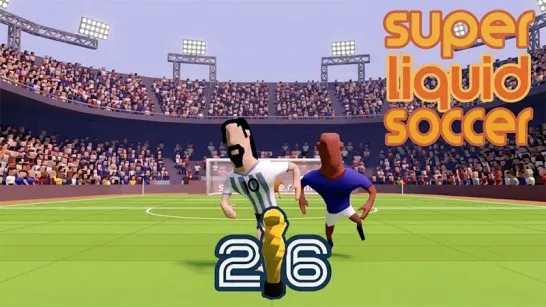
GoalHeads.io is an arcade io soccer game built around 1v1 matches, quick positioning, and well-timed shots. Your objective is straightforward: control a big-headed football player and score more goals than your opponent before the match ends.
What gives this multiplayer game more tactical depth is its two-shot system. Ground Shot and Air Shot use separate inputs, so attacking effectively means reacting to the height and movement of the ball instead of repeatedly using the same kick. Rebounds also keep possession unpredictable, forcing you to reposition quickly for the next contact. Beyond standard online PvP through Quick Match, GoalHeads.io supports private Party Rooms for playing with friends, same-PC Local 2P, and a Training mode for practicing movement and shot timing. With a small set of controls but several ways to use them, matches focus heavily on timing, positioning, shooting, defending, and reading where the ball will travel next.
Key Features of GoalHeads.io
- Real-Time 1v1 Soccer PvP – Face another player in short competitive matches where the higher goal count wins.
- Ground & Air Shots – Use different attacks depending on the ball's position and height.
- Multiple Multiplayer Options – Find opponents through Quick Match, invite a friend with a Party Room, or compete locally on one PC.
- Rebound-Based Ball Play – The ball can bounce back into play, creating immediate chances to attack, defend, or regain position.
- Training Mode – Practice movement, jumping, Ground Shots, and Air Shots before entering competitive matches.
How to Play GoalHeads.io
Where you position your character- and which shot you choose once the ball arrives- can determine the next few seconds of play.
1v1 Soccer Core Gameplay
Each match puts two players against each other with one objective: outscore the opponent before time runs out. Move left or right to challenge for possession, defend space, or set yourself up behind the ball. Jump when the ball rises and choose between a Ground Shot or Air Shot depending on its position.
Rebounds are particularly important. After a shot or missed challenge, the ball can change direction and remain active, so immediately chasing it isn't always the best response. Moving toward where the ball is likely to land can put you in a stronger position for the next shot while also keeping your own goal protected.
Responsive Soccer Game Controls
General Controls
- A / D or Left / Right Arrow – Move
- W / Up Arrow – Jump
- T / K – Ground Shot
- Y / L – Air Shot
Local 2 Player Controls
Player 1
- A / W / D – Movement and jump
- T – Ground Shot
- Y – Air Shot
Player 2
- Arrow Keys – Movement and jump
- K – Ground Shot
- L – Air Shot
Tips to Score More Goals in GoalHeads.io
- Match your shot to the ball. Use Ground Shot for low balls and Air Shot when the ball is airborne.
- Watch rebounds before committing. A deflection can quickly send the ball back in the opposite direction.
- Position before attacking. Getting behind the ball can give you a better setup for sending it toward the opponent's goal.
- Don't abandon your defensive position unnecessarily. Chasing every loose ball can leave your goal exposed.
- Use Training Mode first. Practice movement, jumping, and both shot inputs before taking those timings into PvP matches.
Choose your shot, control the rebounds, and outscore your opponent in GoalHeads.io.
Similar Arcade Soccer Games
Discuss GoalHeads.io