Game Controls
PC
- Mouse: Charge jumps and perform flips in single-player mode.
- WASD: Player 1 controls and trick selection.
- Arrow Keys: Player 2 controls and trick selection.
- Skill Panel: Select and switch available flipping techniques.
Mobile
- Tap and Hold: Prepare a jump.
- Release: Launch your character.
- Tap: Perform flips and interact with on-screen controls.























Flip Duel
About Flip Duel Game
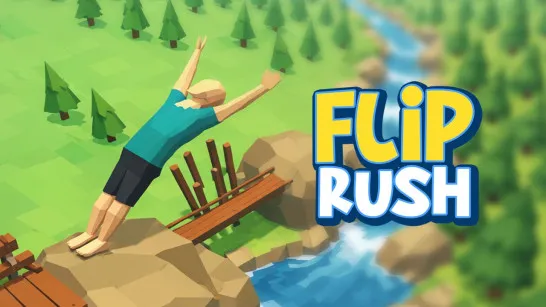
Flip Duel is a physics-based parkour game where performing a backflip is easy, but landing on your feet is another story. Launch your character from elevated platforms, execute aerial tricks, and aim for designated landing zones without crashing.
Developed by gameVgames, this 3D stunt game combines precise timing with unpredictable ragdoll physics. Each jump challenges you to control your rotation, choose the right trick, and land safely. A perfect flip feels rewarding, while a poorly timed move can send your character tumbling across the ground.
Whether you're completing solo challenges or competing against a friend, every successful landing brings you one step closer to mastering the art of flipping.
Three Ways to Test Your Flipping Skills
Flip Duel offers three game modes, each with a different challenge:
- 1 Player: Progress through 80 parkour challenges across eight levels, with increasingly difficult landing zones.
- 2 Player: Challenge a friend in local multiplayer and compete to complete your flips successfully.
- FreeStyle: Keep performing stunts and navigating obstacles for as long as your life bar lasts.
You can also experiment with different flipping techniques, including Pike, Scissor, Knee Tuck, and Layout. Choosing the right trick can make difficult jumps easier to control.
How to Play Flip Duel
The goal is simple: perform backflips, land safely, and complete each challenge without losing control.
Gameplay Mechanics
Start by choosing your preferred game mode. In single-player challenges, hold the jump control to prepare your launch, then release it to send your character into the air.
While airborne, perform a flip and watch your rotation carefully. Try to complete the movement before reaching the ground so your character lands upright inside the target zone.
As you progress, platforms become harder to reach and landing areas grow smaller. In two-player mode, both players compete using separate controls on the same device.
Game Controls
PC
- Mouse: Charge jumps and perform flips in single-player mode.
- WASD: Player 1 controls and trick selection.
- Arrow Keys: Player 2 controls and trick selection.
- Skill Panel: Select and switch available flipping techniques.
Mobile
- Tap and Hold: Prepare a jump.
- Release: Launch your character.
- Tap: Perform flips and interact with on-screen controls.
Tricks for a Perfect Landing
- Control your rotation: Avoid performing extra flips when the landing zone is close.
- Watch your landing position: Aim to finish each stunt with your feet facing the ground.
- Experiment with tricks: Different techniques may work better for different obstacles.
- Practice easier jumps: Build consistent timing before attempting more difficult stages.
- Stay cautious in FreeStyle: A controlled landing is more valuable than a risky stunt that drains your life bar.
Similar Games Must Try
Discuss Flip Duel