
Game Controls
PC Controls:
- A / Left Arrow: Push the left wheel.
- D / Right Arrow: Push the right wheel.
- Both wheel keys: Move forward.
- R: Return to the last checkpoint.
- Esc / P: Pause the game.
- Space: Reset the camera behind the wheelchair.
- I / K / J / L: Adjust the camera angle.
- Right Mouse Button + Drag: Look around.
- Mouse Wheel: Zoom in or out.
Mobile Controls:
- Left / Right Wheel Buttons: Push the corresponding wheel.
- Both Buttons: Roll forward.
- Swipe: Look around.


































Funny Wheels
About Funny Wheels Game
Funny Wheels is a hilarious 3D physics-based adventure game that turns a simple wheelchair ride into a surprisingly difficult challenge. Your mission is to guide a wheelchair through obstacle-filled courses, but there's a catch: each wheel must be controlled separately!
Play alone or team up with a friend to tackle tricky paths, moving platforms, and unexpected hazards. Every turn requires careful coordination, and even a small mistake can send your wheelchair spinning in the wrong direction. With unpredictable physics and challenging level designs, this game proves that getting from one point to another isn't always as easy as it looks.
Game Features
Here's what makes the experience stand out:
- Independent Wheel Controls: Push each wheel separately to move, turn, and maintain balance.
- Hilarious Ragdoll Physics: Watch your rider tumble after unexpected collisions and failed maneuvers.
- 12 Challenging Levels: Overcome moving traps, narrow bridges, slippery surfaces, and environmental puzzles.
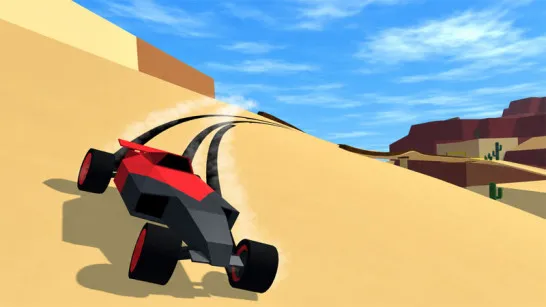
- Wheel Race Mode: Compete against three opponents across ten themed racing stages.
- Checkpoints and Rewards: Save progress at 11 checkpoints, collect coins, and unlock customization options.
How to Play Funny Wheels
The goal is to reach the end of each course without losing control of your wheelchair.
Gameplay Mechanics
To move forward, keep both wheels turning at a similar pace. When you need to change direction, adjust the movement of one wheel relative to the other. Be especially careful near corners and narrow platforms, where too much momentum can push you off the path.
In two-player mode, each person takes charge of one wheel. You'll need to communicate and synchronize your actions to avoid spinning in circles or getting stuck. Playing solo presents a different challenge, as you must manage both wheels at once.
As you progress, the courses introduce more demanding obstacles that test your timing, patience, and ability to recover from mistakes.
Game Controls
PC Controls:
- A / Left Arrow: Push the left wheel.
- D / Right Arrow: Push the right wheel.
- Both wheel keys: Move forward.
- R: Return to the last checkpoint.
- Esc / P: Pause the game.
- Space: Reset the camera behind the wheelchair.
- I / K / J / L: Adjust the camera angle.
- Right Mouse Button + Drag: Look around.
- Mouse Wheel: Zoom in or out.
Mobile Controls:
- Left / Right Wheel Buttons: Push the corresponding wheel.
- Both Buttons: Roll forward.
- Swipe: Look around.
The Secret to Staying on Track
Going faster isn't always the best strategy. Start with small, synchronized movements to learn how the wheelchair responds. Slow down before sharp turns, and avoid sudden corrections that could throw you off balance. If you're playing with a friend, agree on when to accelerate, turn, and stop. A little teamwork can save you from plenty of hilarious accidents!
More Physics-Based Challenges
Discuss Funny Wheels