Drag-and-Drop Music Controls
PC
- Left Mouse Button: Select a sound icon.
- Click + Drag: Place an icon onto a character.
- Click / Drag: Remove or replace an active sound.
- Menu Icons: Access available options.
Mobile
- Tap: Select a sound.
- Tap + Drag: Assign the sound to a character.
- Touch Controls: Remove, replace, and organize your lineup.












Sprunkin
About Sprunkin
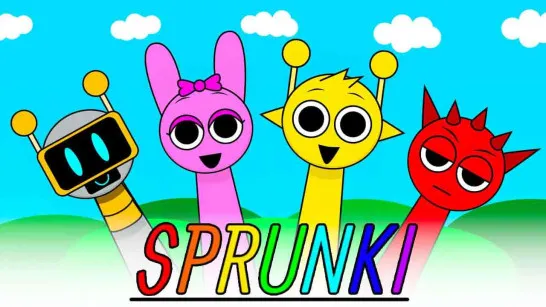
What happens when every character becomes part of the song? Sprunkin is a creative casual music game where a quirky cast provides the beats, melodies, vocals, and sound effects for your own mix. Inspired by the Sprunki universe and Sprunked Mod, it keeps the familiar drag-and-drop format while introducing redesigned characters and fresh soundscapes.
Rather than following notes or chasing a high score, you decide how the track develops. Drop sound icons onto the characters, listen as different audio layers come together, then replace anything that does not fit your arrangement. Some combinations can also trigger hidden animations and bonus effects, encouraging you to experiment with the entire lineup. With no fixed song to complete, Sprunkin is about creativity, discovery, and finding combinations that sound good together.
Beats, Vocals, and Character-Based Music
- Character Sounds: Each character adds a distinct beat, melody, vocal, or effect.
- Layered Music: Combine several sounds to build a complete track.
- Drag-and-Drop Mixing: Add, remove, and replace sounds without complicated music controls.
- Hidden Surprises: Experiment with different combinations to discover bonus effects and animations.
- Creative Freedom: Rebuild your lineup whenever you want and create different mixes.
Build Your Mix One Sound at a Time
Start with an empty lineup and choose a sound icon. Drag it onto a character to change its appearance and activate the corresponding audio loop. Add more characters to layer beats, melodies, vocals, and effects into a fuller composition.
Discover Hidden Sound Combinations
Sprunkin rewards more than simply filling every available character slot. Different combinations can reveal special effects or hidden animations, giving you another reason to experiment with the lineup. The mod also introduces redesigned characters and fresh soundscapes, giving it its own style while keeping the character-based music creation associated with Sprunki-inspired games.
Drag-and-Drop Music Controls
PC
- Left Mouse Button: Select a sound icon.
- Click + Drag: Place an icon onto a character.
- Click / Drag: Remove or replace an active sound.
- Menu Icons: Access available options.
Mobile
- Tap: Select a sound.
- Tap + Drag: Assign the sound to a character.
- Touch Controls: Remove, replace, and organize your lineup.
Tips for Creating Better Mixes
- Build the Rhythm First: Start with a beat before adding melodies and vocals.
- Add One Layer at a Time: Listen to each sound before introducing another.
- Avoid Overcrowding: Remove a layer if too many sounds compete for attention.
- Experiment With Characters: Unexpected combinations may reveal hidden effects.
- Rebuild Your Mix: Clear or swap sounds to explore a completely different arrangement.
Choose your sounds, shape the lineup, and turn the Sprunkin cast into your own track.
Similar Games Must Try
Discuss Sprunkin