Game Controls
PC
- Left Mouse Button: Select and interact with objects.
- Click and Drag: Move objects around the playground.
- Mouse Wheel: Zoom in or out, if supported.
- On-Screen Menu: Select characters, items, and available tools.
Mobile
- Tap: Select objects or tools.
- Touch and Drag: Position and move objects.
- Pinch: Zoom in or out, if supported.






























Physics Sandbox Playground
Introduction to Physics Sandbox Playground Game
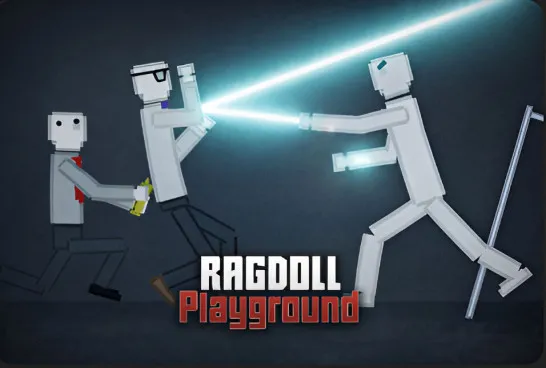
Physics Sandbox Playground is a 2D physics-based sandbox simulation game where you can create experiments, build unusual setups, and watch how objects and ragdoll characters react to your actions. Inspired by the open-ended gameplay of Melon Sandbox, the game gives you the freedom to experiment without fixed missions or objectives.
Place characters, weapons, vehicles, and different objects into your playground, then combine them to create unpredictable situations. You can test collisions, trigger chain reactions, or simply see what happens when physics takes over. Ragdoll movements and object interactions make every experiment feel different, especially when your creations don't behave as expected. Whether you're building elaborate contraptions or causing complete chaos, Physics Sandbox Playground rewards curiosity and creativity rather than following rules.
Main Features
- Open-Ended Sandbox: Create your own scenarios without fixed missions or time limits.
- Ragdoll Physics: Experiment with character movements, impacts, and collisions.
- Interactive Objects: Place and combine characters, weapons, vehicles, and props.
- Creative Experiments: Build contraptions and trigger unexpected chain reactions.
- Freeform Gameplay: Explore different possibilities through trial and error.
Guide to Play Physics Sandbox Playground
There is no required path to follow. Choose your objects, arrange your playground, and experiment with how everything interacts.
Build, Experiment, and Create Chaos
Start with an empty sandbox and select characters or objects from the available menu. Place them anywhere in the environment, then move, rotate, or combine them to create your own setups.
Add interactive items to test how characters respond to impacts, collisions, and other physical forces. You can build simple structures, arrange elaborate experiments, or create chaotic scenes involving multiple objects. Change your setup, remove unwanted items, and try new combinations to discover different outcomes.
Game Controls
PC
- Left Mouse Button: Select and interact with objects.
- Click and Drag: Move objects around the playground.
- Mouse Wheel: Zoom in or out, if supported.
- On-Screen Menu: Select characters, items, and available tools.
Mobile
- Tap: Select objects or tools.
- Touch and Drag: Position and move objects.
- Pinch: Zoom in or out, if supported.
Tips for Creative Physics Experiments
- Start with simple setups: Test a few objects before creating complex scenes.
- Experiment with different combinations: Discover how items interact with each other.
- Use ragdolls to test collisions: Observe how characters react to movement and impacts.
- Build chain reactions: Arrange objects so one interaction triggers another.
- Change one element at a time: Identify what causes different physics outcomes.
Play More Sandbox Games
Discuss Physics Sandbox Playground