Game Controls Guide
- Left Click - Select, place, or activate objects
- Click and Drag - Move characters and items
- Double Click - Open the action menu
- Click an Object Activate tools or weapons
- Drag to Select - Select multiple objects
- Mouse Wheel - Zoom in or out



























People Playground
About People Playground Game
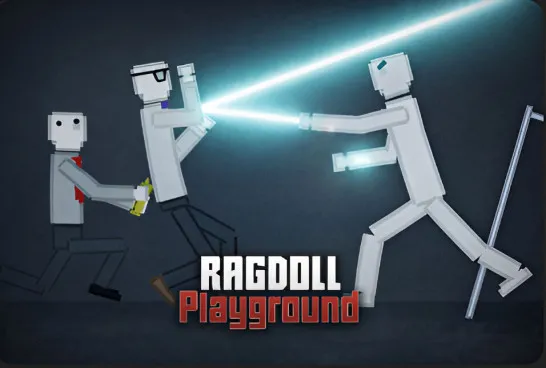
People Playground is a physics-based sandbox simulation game where you can build, destroy, experiment, and create your own chaotic scenarios using ragdoll characters, weapons, vehicles, and interactive objects. Instead of following missions or objectives, you're given complete freedom to manipulate the environment and see how realistic physics reacts to every explosion, collision, and experiment.
Whether you want to stage epic battles, invent bizarre machines, or simply test how different objects interact, People Playground encourages creativity and curiosity. Every session can unfold in a completely different way, making it one of the most replayable sandbox games for fans of physics and experimentation.
Highlight Game Features
- Open-ended physics sandbox gameplay
- Realistic ragdoll physics and reactions
- Huge collection of weapons, tools, and objects
- Build custom battles and experimental scenes
- Create traps, hazards, and interactive arenas
- Drag-and-drop object placement
- Endless creative freedom with no fixed objectives
- Smooth browser gameplay with intuitive controls
How to Play People Playground
There are no rules telling you what to build or destroy. Your imagination is the only limit.
Physics-Based Gameplay
Start by placing ragdoll characters, props, weapons, or machines anywhere on the map. Drag objects into position, activate them, and observe how they interact through the game's detailed physics engine. Explosions, electricity, gravity, fire, and moving machinery all produce unique reactions, allowing you to create anything from simple experiments to large-scale destruction.
You can also design custom battle arenas by arranging obstacles, traps, and multiple teams of ragdolls before letting the action unfold. Many players enjoy combining different tools and environmental hazards to discover unexpected chain reactions, making experimentation one of the game's biggest attractions.
Game Controls Guide
- Left Click - Select, place, or activate objects
- Click and Drag - Move characters and items
- Double Click - Open the action menu
- Click an Object Activate tools or weapons
- Drag to Select - Select multiple objects
- Mouse Wheel - Zoom in or out
Tips and Tricks
- Combine different elements like fire, electricity, and explosives to create more interesting experiments.
- Build your arena before activating weapons for better control over the action.
- Use the zoom function to position objects more accurately.
- Try mixing different tools together instead of using them individually.
- Experiment without worrying about failure - many of the funniest moments happen by accident.
- Create your own battle scenarios to see how different weapons and environments affect ragdoll physics.
Play People Playground, unleash your creativity, build outrageous experiments, and discover just how far your imagination - and the physics engine - can go.
Similar Games Must Try
Play more chaotic physics games for fun:
- Fruit Playground
- Ragdoll Hit
- Ragdoll Arena
- Melon Sandbox
- Madness Online
Discuss People Playground