Ragdoll and Object Interaction Controls
- Mouse - Select objects and interact with menus
- Arrow Keys - Move around the map
- E / Q - Spawn selected object
- Left Mouse (Hold) - Grab and drag objects
- F - Activate an object
- A / D - Rotate selected object
- Mouse Wheel - Resize objects
- Right Mouse / Backspace - Delete objects






























Ragdoll Playground
About Ragdoll Playground
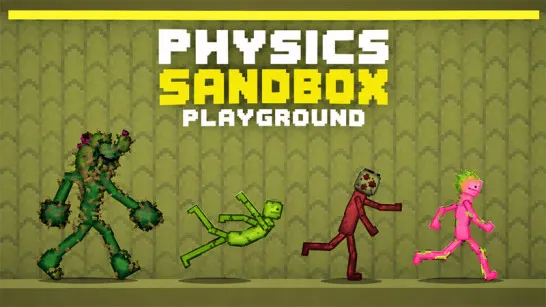
Ragdoll Playground is a free online 2D physics sandbox built entirely around experimentation. You can spawn ragdolls, vehicles, weapons, explosives, and dozens of other interactive objects, then combine them however you like to create spectacular crashes, chain reactions, or completely ridiculous scenarios. There are no missions, levels, or win conditions - just a realistic physics engine and a collection of tools that let you build, destroy, and experiment without limits. Every setup produces different results, making curiosity and creativity the driving force behind every session.
How to Play Ragdoll Playground
Every experiment starts with a single object, but what happens next depends entirely on your imagination.
Core Physics-Based Sandbox Gameplay
- Choose one of the available sandbox maps, each offering a different layout for testing your creations.
- Open the object menu and spawn ragdolls, weapons, vehicles, explosives, machines, and other interactive items anywhere on the map.
- Drag, rotate, resize, activate, or delete objects to build your own experiments and custom scenarios.
- Combine multiple items to trigger chain reactions, explosions, crashes, and physics-driven interactions that behave differently every time.
- Test how gravity, momentum, collisions, and environmental obstacles affect every object in the sandbox.
- Keep experimenting with new combinations - there are no missions, timers, or restrictions, only endless opportunities to create bigger, funnier, and more destructive physics experiments.
Ragdoll and Object Interaction Controls
- Mouse - Select objects and interact with menus
- Arrow Keys - Move around the map
- E / Q - Spawn selected object
- Left Mouse (Hold) - Grab and drag objects
- F - Activate an object
- A / D - Rotate selected object
- Mouse Wheel - Resize objects
- Right Mouse / Backspace - Delete objects
Tips for Building Better Chain Reactions
- Test one variable at a time before combining multiple explosives or machines.
- Use larger maps for chain reactions to prevent objects from leaving the playable area too quickly.
- Rotate objects before activating them to create more dramatic launches and collisions.
- Mix vehicles, ragdolls, and explosives together - the most entertaining results often come from unexpected combinations.
- Experiment with different environments since terrain and obstacles can completely change how physics interactions play out.
Enter the Ragdoll Playground world, unleash your imagination, and see just how much chaos you can create with the game's physics sandbox!
Similar Games Must Try
- Melon Sandbox
- Fruit Playground
- Lab Havoc
Discuss Ragdoll Playground