Game Controls
- WASD - Drive the car
- Space - Handbrake
- Shift - Activate boost/nitro
- C - Change camera view
- N - Spawn a new vehicle
- R - Repair or restore your car
- B - Enable slow-motion mode
- Tab - Pause the game






















My Car My Rules
What Is My Car My Rules?
My Car My Rules is a driving sandbox and car destruction game where the goal is simple: drive however you want and crash however you like. Instead of racing against timers or completing missions, the game gives players open maps filled with ramps, traps, traffic, and obstacles designed for chaos.
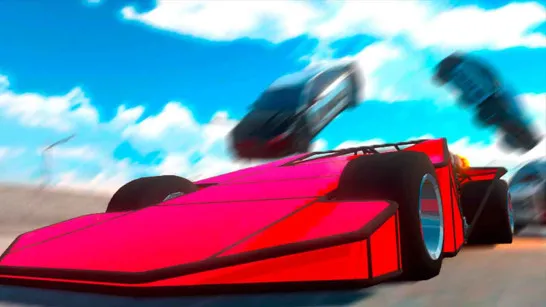
You can launch vehicles off giant jumps, slam into walls at full speed, trigger chain-reaction crashes, or simply cruise around testing different cars. The biggest attraction is the realistic crash physics system. Cars bend, doors fly off, wheels detach, and every collision looks slightly different depending on speed and impact angle. The game mixes sandbox freedom, stunt driving, and vehicle destruction into one satisfying experience where experimentation matters more than winning.
How to Play My Car My Rules
There are no strict objectives, no countdown pressure, and no penalties for crashing. You just pick a car and start experimenting. The gameplay is built entirely around freedom. Each map gives you space to test vehicles in different ways. Some areas focus on high-speed ramps and stunt jumps, while others include crushers, dangerous traps, heavy traffic, and destructible zones. Maps like Test Site, Destructive City, and Mars each create different driving situations and crash opportunities.
The physics system is the real highlight of the game. Instead of simple visual damage, vehicles react differently depending on speed, angle, and impact force. Heavy crashes can:
- Bend body panels
- Break bumpers
- Detach wheels
- Crush vehicle frames
- Scatter debris across the road
Because the destruction is physics-based, crashes rarely look the same twice. Even small changes in speed can completely change the outcome of an accident.
My Car My Rules also includes customization features that let players personalize vehicles before sending them into chaos. You can:
- Change paint colors
- Add decals
- Tune suspension
- Adjust wheel settings
- Experiment with handling setups
Some players create drift-focused builds, while others design heavy vehicles for maximum destruction testing. The tuning system adds extra creativity beyond simply crashing cars.
Game Controls
- WASD - Drive the car
- Space - Handbrake
- Shift - Activate boost/nitro
- C - Change camera view
- N - Spawn a new vehicle
- R - Repair or restore your car
- B - Enable slow-motion mode
- Tab - Pause the game
Sandbox Features That Make the Game Fun
- Open-ended driving with no race restrictions
- Realistic crash and destruction physics
- Multiple sandbox maps with unique layouts
- Dynamic traffic for unexpected accidents
- Slow-motion cinematic crash mode
- Vehicle spawning and instant repairs
- Camera switching for different viewpoints
- Creative stunt and ramp opportunities
Start your engine, hit the ramps, and see how much destruction you can create in My Car My Rules.
Similar Games Must Try
Discuss My Car My Rules