Game Controls
- Press and hold - Crouch and build up your jump.
- Release - Launch into the air.
- Hold again in midair - Keep your character rotating through the flip.
- Release before touchdown - End the rotation and position your character for the landing.



















Flip or Fail
About Flip or Fail Game
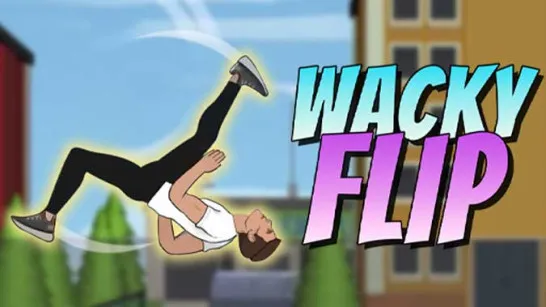
Flip or Fail is a 3D physics parkour game where every jump comes down to three things: launch, rotation, and landing. You send your character across gaps and elevated platforms, perform backflips in the air, then try to get upright before hitting the landing spot. Distance and height change from one setup to the next, so the timing that works on one jump may send you crashing on another.
There is plenty of room to put that timing to the test. Flip or Fail features six locations along with 12 levels to play. Classic and Arcade modes offer structured stunt stages, while Challenge mode gives you more freedom to explore a map and choose your own route toward the destination. Missions unlock more than 10 male and female characters, and leaderboards add a competitive reason to improve. The result is a stunt game where a clean landing feels just as important as the flip itself.
Key Features of Flip or Fail
- Physics-Based Backflips - Control your rotation in midair and get your feet underneath you before landing.
- Six Stunt Locations - Perform jumps across the park, harbor, school, rooftop, construction site, and open lot.
- Multiple Game Modes - Play structured challenges in Classic and Arcade or find your own route in Challenge mode.
- 12 Levels - Face different combinations of jump height, distance, and landing position.
- Characters & Leaderboards - Complete missions to unlock 10+ characters and compare your performance with other players.
How to Play Flip or Fail
A bigger flip isn't automatically a better flip. The real challenge is working out how much rotation the current jump actually gives you time to complete.
Flipping Gameplay Mechanic
Before launching, look at the distance and height between your starting point and the landing area. Once airborne, control the backflip and stop the rotation early enough to bring your character upright. Rotate too little and you'll land at the wrong angle; keep spinning for too long and a promising stunt can turn into a crash.
Classic and Arcade modes organize these challenges into stages, with 10 stages per level. Challenge mode changes the approach by letting you explore the environment and choose a route toward the destination. Here, checking the map and planning several jumps ahead becomes part of the challenge rather than simply completing a preset stunt.
Game Controls
- Press and hold - Crouch and build up your jump.
- Release - Launch into the air.
- Hold again in midair - Keep your character rotating through the flip.
- Release before touchdown - End the rotation and position your character for the landing.
Backflip and Landing Tips
- Check the gap first - Height and distance affect how much time you have to rotate.
- Prioritize the landing - Don't force another flip when there isn't enough airtime.
- Use smaller jumps for practice - They help you learn the character's rotation speed.
- Plan routes in Challenge mode - Look for useful landing points before taking off.
- Adjust the camera - Inspect difficult sections before committing to a jump.
Pull off the backflip, find your feet, and prove that your next stunt is a flip - not a fail.
Similar Games Must Try
Discuss Flip or Fail