Game Controls
PC
- Space / W / Up Arrow - Prepare and perform a jump
- Hold Space / W / Up Arrow while airborne - Flip
- R - Replay
- Esc - Pause
Mobile
- Hold Up button - Prepare the jump
- Release - Take off
- Hold Up while airborne - Flip





















Flip Spot
About Flip Spot Game
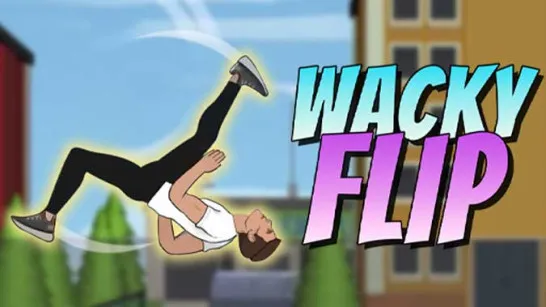
Flip Spot is a 3D physics stunt game where you jump from elevated platforms, perform flips in midair, and try to land upright inside a target area. Each attempt is a short test of timing, rotation, and landing control rather than a race through a traditional obstacle course.
The controls are straightforward: launch your character, hold the input to keep flipping, then release at the right moment to prepare for landing. Different platform heights and distances change how much airtime you get, so every jump requires a slightly different approach. Higher spots give you enough time to attempt multiple rotations, while shorter jumps reward safer, more controlled flips.
The main challenge is knowing when to stop rotating. Adding another flip can make a stunt more impressive, but it also increases the chance of landing at the wrong angle. With quick restarts after failed attempts, Flip Spot encourages you to adjust your timing and keep trying until you stick the landing.
Key Features of Flip Spot
- Physics-Based Flipping - Control your character's rotation throughout each aerial stunt.
- Landing-Focused Challenges - Getting upright inside the target area matters more than simply completing a flip.
- Different Jump Setups - Changing heights and distances affect your available airtime.
- Hold-and-Release Controls - Launching and rotating are handled through a compact control scheme.
- Instant Retries - Quickly replay a failed stunt and fine-tune your timing.
How to Play Flip Spot
Every attempt is short, so there is little room to hide a badly timed input. The trick is matching your rotation to the height and distance of the jump.
Core Gameplay
Begin at the launch platform by holding the jump control, then release to send your character into the air. During the jump, hold the input again to rotate. From that point, the landing becomes your priority. Keep rotating for too long and you'll arrive upside down; stop at the right moment and your character can line up for an upright touchdown inside the target zone.
Higher platforms give you more airtime and therefore more opportunities for extra rotations. Lower or shorter jumps demand restraint. Much of the progression in skill comes from recognizing how much rotation each spot can realistically support, then making small timing adjustments after every failed attempt.
Game Controls
PC
- Space / W / Up Arrow - Prepare and perform a jump
- Hold Space / W / Up Arrow while airborne - Flip
- R - Replay
- Esc - Pause
Mobile
- Hold Up button - Prepare the jump
- Release - Take off
- Hold Up while airborne - Flip
Tips for Cleaner Landings
- Judge the airtime first. Learn how long each jump lasts before attempting extra flips.
- Stop rotating early. Give your character time to straighten before landing.
- Match tricks to height. Save multiple flips for jumps with enough airtime.
- Watch the feet. Use them as a visual guide when lining up the landing.
- Adjust gradually. After a crash, change your release timing slightly rather than dramatically.
Hold the flip, find the perfect release, and stick the landing in Flip Spot.
Similar Games Must Try
Discuss Flip Spot