
Controls Guide
PC Controls:
- Left Click / Up Arrow / Right Arrow - Hold to gain speed and move forward
- Release the button/key (while on the ground) - Stop moving
- Spacebar - Jump
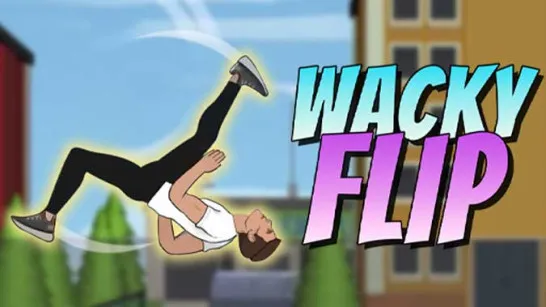
- Left Click (while airborne) - Perform a backflip
Mobile Controls:
- Press and Hold - Accelerate and move forward
- Release - Stop moving
- Tap while in the air - Perform a backflip







Skate Dash
About the Skate Dash Game
Skate Dash is an arcade skateboarding game where you race through side-scrolling levels packed with ramps, gaps, rails, and obstacles. Playing as a daring skater, you'll build speed, launch into the air, perform tricks, and collect rewards while trying to reach the finish line without wiping out. The game combines simple controls with increasingly challenging level design, making it easy for beginners to enjoy while still offering plenty of challenge for players chasing perfect runs.
Game Highlights
- Diverse Obstacles: Every track presents new hazards, including gaps, barriers, ramps, animals, and moving obstacles.
- Collectible Rewards: Gather stars, trophies, and special collectibles scattered throughout the levels.
- Smooth Progression: The difficulty increases gradually, helping players improve their skills while introducing fresh challenges.
How to Play Skate Dash
Success depends on balancing speed with control.
Gameplay Mechanics
- Build Momentum: Some ramps and large gaps require enough speed to clear safely.
- Time Your Jumps: Jump too early or too late and you may crash before reaching the next platform.
- Land Safely: A successful trick only counts if you stick the landing and keep moving.
- Collect Everything You Can: Rewards not only improve your score but also encourage exploration and replayability.
Controls Guide
PC Controls:
- Left Click / Up Arrow / Right Arrow - Hold to gain speed and move forward
- Release the button/key (while on the ground) - Stop moving
- Spacebar - Jump
- Left Click (while airborne) - Perform a backflip
Mobile Controls:
- Press and Hold - Accelerate and move forward
- Release - Stop moving
- Tap while in the air - Perform a backflip
The straightforward control system allows players to focus entirely on timing and course navigation.
Tips for Better Runs
- Look Beyond Your Character: Many experienced players focus on the track ahead rather than the skater. This gives more time to react to upcoming obstacles.
- Prioritize Clean Landings: A smaller trick with a safe landing is often more valuable than a risky stunt that ends your run.
- Learn the Course Layout: Players frequently discuss how memorizing obstacle placement helps dramatically improve completion times and scores.
- Use Speed Wisely: Going full speed isn't always the answer. Some sections reward careful pacing and precise jumps.
What Players Often Talk About Skate Dash?
One of the most common discussions surrounding Skate Dash is the balance between speed and trick scoring. Some players prefer racing straight to the finish line, while others enjoy squeezing in as many tricks as possible to maximize points. Another feature that gets praise is the game's satisfying progression. Levels start off simple but gradually introduce more complex obstacle combinations, creating a noticeable sense of improvement as you master the mechanics.
Grab your skateboard, hit the ramps, and see how far your skills can take you in Skate Dash.
Discuss Skate Dash