Game Controls
PC
- WASD / Arrow Keys: Move
- Spacebar: Jump
- Right Mouse Button: Rotate camera
- Left Mouse Button: Attack
- E: Take Brainrot
- Q: Drop Brainrot
- R: Return to base
- Z: Rebirth
- Tab: Slow Mode
- P: Settings
Mobile:
- Virtual Joystick: Move
- Swipe: Rotate camera
- Jump Button: Jump
- Attack Button: Attack
- Take / Drop Buttons: Manage Brainrots
































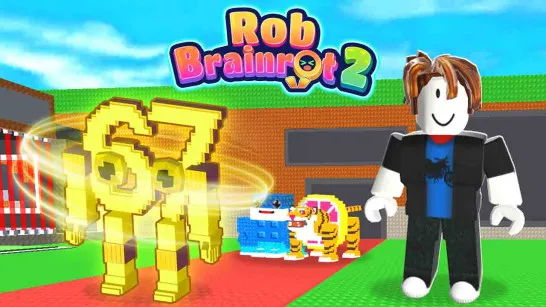
Jump and Run for Brainrots
About Jump and Run for Brainrots
Jump and Run fo-r Brainrots is a 3D parkour platformer that mixes obby-style jumping, Brainrot collection, character upgrades, and rebirth progression across multi-level platforms. Your goal is to travel farther and higher, collect Brainrots, and return with them to build your progress.
Better Speed and Jump stats gradually open routes that were difficult or unreachable at the beginning, giving exploration a clear connection to progression. The farther you push from safety, the more important careful movement becomes, since a bad jump can ruin a productive trip. You can also attack, pick up or drop Brainrots, and use Slow Mode when precise movement matters. Eventually, Rebirth lets you reset current progress in exchange for a permanent multiplier, turning repeated runs into a long-term cycle of collecting, upgrading, and reaching better areas.
Key Features of Jump and Run for Brainrots
- Brainrot Collection: Search the platforms for collectibles and bring them back to your base.
- Speed & Jump Upgrades: Improve movement stats to reach more difficult areas.
- Vertical Obby Exploration: Climb through increasingly challenging platform sections.
- Rebirth Progression: Reset your run to gain a permanent multiplier for future progress.
- Slow Mode: Reduce the pace when difficult jumps require more precise timing.
How to Play Jump and Run for Brainrots
A successful trip isn't about collecting everything you see. You also need a safe route home.
Collect, Upgrade and Climb Higher
Move across the platforms and collect Brainrots as you explore. Once you've gathered enough, return to your base and use your progress to improve Speed and Jump. Higher Jump helps you access elevated platforms, while additional Speed makes traveling between areas quicker.
As your stats improve, you can venture into harder sections and search for better collectibles. If progression begins to slow, Rebirth resets your current strength but provides a permanent multiplier for later runs.
Game Controls
PC
- WASD / Arrow Keys: Move
- Spacebar: Jump
- Right Mouse Button: Rotate camera
- Left Mouse Button: Attack
- E: Take Brainrot
- Q: Drop Brainrot
- R: Return to base
- Z: Rebirth
- Tab: Slow Mode
- P: Settings
Mobile:
- Virtual Joystick: Move
- Swipe: Rotate camera
- Jump Button: Jump
- Attack Button: Attack
- Take / Drop Buttons: Manage Brainrots
Brainrot Collection and Obby Tips
- Upgrade Jump early: Extra height helps you reach elevated platforms and new areas.
- Bank your Brainrots: Return to base rather than risking everything on an unnecessarily long trip.
- Plan jumps with the camera: Check the next platforms before committing to difficult routes.
- Use Slow Mode strategically: Activate it when tricky platform sections demand tighter timing.
- Rebirth when progress stalls: A permanent multiplier can make later progression faster.
Play Jump and Run for Brainrots on your browser now! Grab the Brainrots, make it back to base, and upgrade your way toward the highest platforms.
Similar Games Must Try
Discuss Jump and Run for Brainrots