Game Controls
- Arrow Keys - Move the block
- Spacebar - Switch between split blocks





















Bloxorz
What Is Bloxorz?
Bloxorz is a classic logic puzzle game where you guide a rectangular block across floating platforms and drop it perfectly into the square exit hole. The controls are simple, but every level challenges your spatial awareness, planning, and problem-solving skills.
Bloxorz has become one of the most iconic browser puzzle games thanks to its clever mechanics, satisfying progression, and timeless gameplay. With 33 increasingly challenging levels, every new stage introduces fresh obstacles that make you think several moves ahead.
Why Bloxorz Is Still a Puzzle Classic
Simple rules hide surprisingly deep gameplay, making Bloxorz easy to learn but difficult to master.
Highlights:
- 33 carefully designed puzzle levels
- Classic logic and spatial reasoning gameplay
- Multiple switch and bridge mechanics
- Teleporters that split the block into two pieces
- Fragile orange tiles that add extra challenge
- No time limit - solve each puzzle at your own pace
Many players consider Bloxorz one of the greatest Flash-era puzzle games because every solution feels earned rather than based on luck.
How to Play Bloxorz
Success comes from planning every movement before you make it.
Gameplay Mechanics
Roll the Block
Use the arrow keys to roll your rectangular block across the platform. Avoid falling off the edges while positioning the block correctly for the exit.
Reach the Goal
To complete a stage, the block must stand vertically and fall into the square hole. Reaching the exit often requires activating switches and solving environmental puzzles first.
Master the Switches
Different switches control bridges and other mechanisms throughout the level.
- Soft switches (circle) activate whenever any part of the block touches them.
- Heavy switches (X) only activate when the block stands upright.
- Teleport switches ( ) split the block into two smaller pieces that can be controlled separately.
Learning when and how to use each switch is the key to solving later levels.
Watch Out for Fragile Tiles
Orange tiles cannot support the block while it's standing vertically. If you place the block upright on one, it will collapse and you'll have to restart the level.
Control Split Blocks
Some puzzles require managing two smaller blocks independently. Press Spacebar to switch between them, then reunite them to continue as a single block.
Game Controls
- Arrow Keys - Move the block
- Spacebar - Switch between split blocks
Tips to Beat More Levels
- Think several moves ahead before rolling the block.
- Study the entire map before activating switches.
- Use teleporters carefully to avoid separating the blocks unnecessarily.
- Remember that heavy switches only respond to an upright block.
- Save level passcodes so you can continue your progress later.
Similar Logic Puzzle Games
If you enjoy Bloxorz, you may also like:
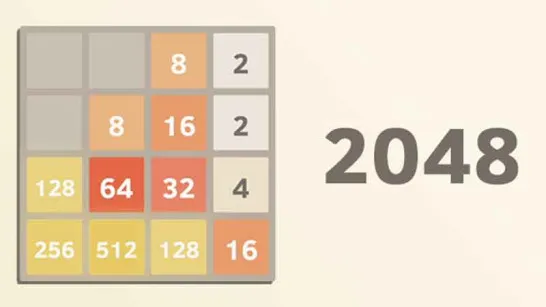
- 2048
- Liquid Sort Deluxe
- Tetris
Every stage in Bloxorz offers a fresh puzzle waiting to be solved. Roll carefully, activate the right switches, and see if you have the logic and patience to conquer all 33 legendary levels!
Discuss Bloxorz