Shooting Controls
PC
- Left Mouse Button + Drag: Aim your shot.
- Hold Left Mouse Button: Increase shot power.
- Release: Kick the ball.
Mobile
- Touch and Drag: Set shot direction.
- Touch and Hold: Adjust shooting power.
- Release: Shoot.



























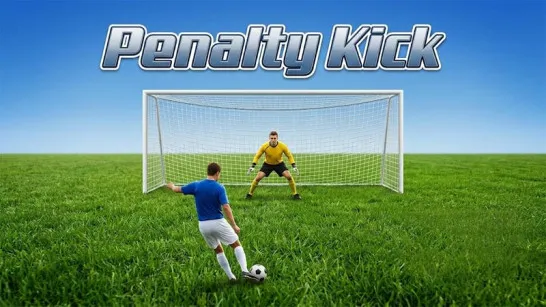

Spot Kick
Spot Kick - Test of Precision with Penalty Game
Spot Kick is a 3D soccer penalty shootout game that challenges your accuracy, power control, and ability to beat the goalkeeper. The objective is to score as many consecutive penalties as possible, with your run ending after the first missed shot.
Every kick depends on more than simply choosing a direction. You can adjust shot strength, strike different parts of the ball, and create curved or dipping trajectories. Wind, altitude, and ball design also affect how your shots travel, while the goalkeeper adapts to repeated shooting patterns. With realistic ball physics and an unforgiving scoring system, this sports game rewards careful aiming, creative finishing, and consistent precision.
What Makes Each Penalty Shot Different?
- Precision Shooting: Adjust aim, power, and ball contact for each penalty.
- Realistic Ball Physics: Perform straight, curved, and dipping shots.
- Smart Goalkeeper: Face a keeper that adapts to your shooting habits.
- Changing Conditions: Account for wind, altitude, and ball variations.
- Streak-Based Scoring: Keep scoring to beat your personal best.
How to Play Spot Kick
Your challenge is to find the perfect balance between shot placement and power while keeping the goalkeeper guessing.
Aim, Power Up, and Score
Drag from the soccer ball toward your desired target to aim. Hold longer to build power, then release to shoot. A trajectory line helps you preview the ball's flight before taking the kick.
Aim for open areas of the goal, experiment with different shot strengths, and vary your placement to beat the goalkeeper. Each successful penalty adds to your score, but a save or miss ends the run.
Shooting Controls
PC
- Left Mouse Button + Drag: Aim your shot.
- Hold Left Mouse Button: Increase shot power.
- Release: Kick the ball.
Mobile
- Touch and Drag: Set shot direction.
- Touch and Hold: Adjust shooting power.
- Release: Shoot.
Strategies for Better Kicks
- Target the corners: Make your shots harder for the goalkeeper to reach.
- Adjust your power: Avoid overpowering shots when aiming near the crossbar.
- Mix up your placement: Don't repeatedly shoot toward the same area.
- Check the wind: Adjust your aim when conditions affect the ball's flight.
- Use controlled curves: Experiment with off-center contact to bend shots around the keeper.
What Soccer Games to Try Next?
Discuss Spot Kick